Galaxy D2C / InGestX family

CMX WON

Your contacts. Organized. Private.

Bring your contacts in from CSV and vCard files, review every import before it is saved, merge duplicates only when you confirm, and find anyone in an instant. Everything stays on your PC, with a full history of every change.

$29.99

USD · one-time purchase · perpetual license · no subscription

Coming to the Microsoft Store. This page will link to the listing as soon as it is public.

Windows 10 (2004 or later) x64 · Local processing · No account

CMX WON / ContactsWindows
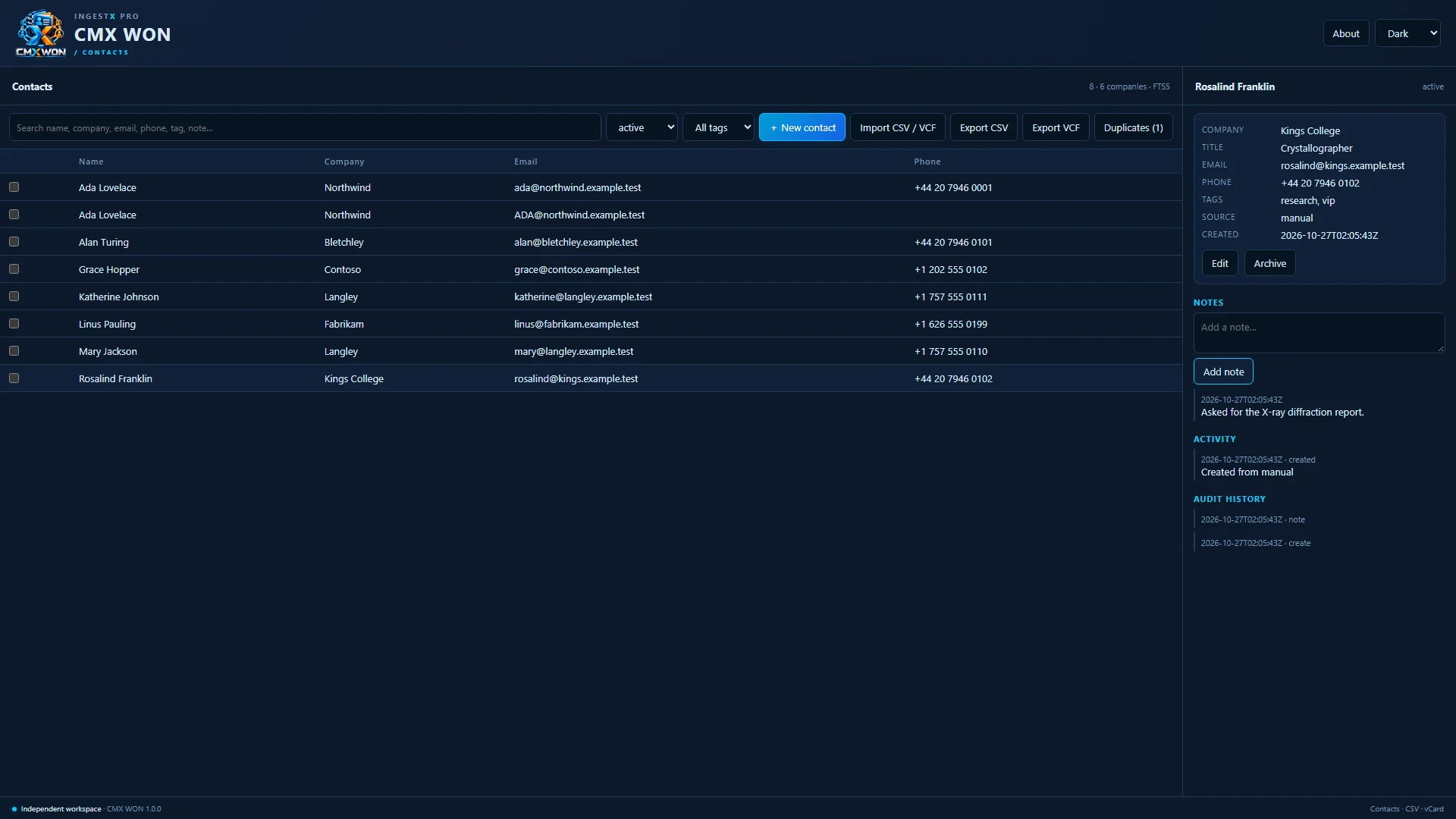
Actual CMX WON window: the contact list with a selected contact profile
Actual application · Sample data shown

What it is

An address book you control.

Contact lists drift into duplicates, half-filled rows and spreadsheets nobody trusts. CMX WON keeps one clean list: every import is previewed, likely duplicates wait for your decision, and every change is recorded.

It is built for small businesses, consultants, studios and teams who keep client and partner contacts on their own machines. Everything runs on your PC, with no account and no cloud service, and it shares the same contacts with DBX WON.
Features

What you can do with it

All your contacts, with full profiles

Each contact keeps multiple email addresses, phone numbers and addresses, plus company, title, department, tags, custom fields and notes.

CMX WON contact list with a selected contact's profile, company details and a possible-duplicate notice

Preview every import

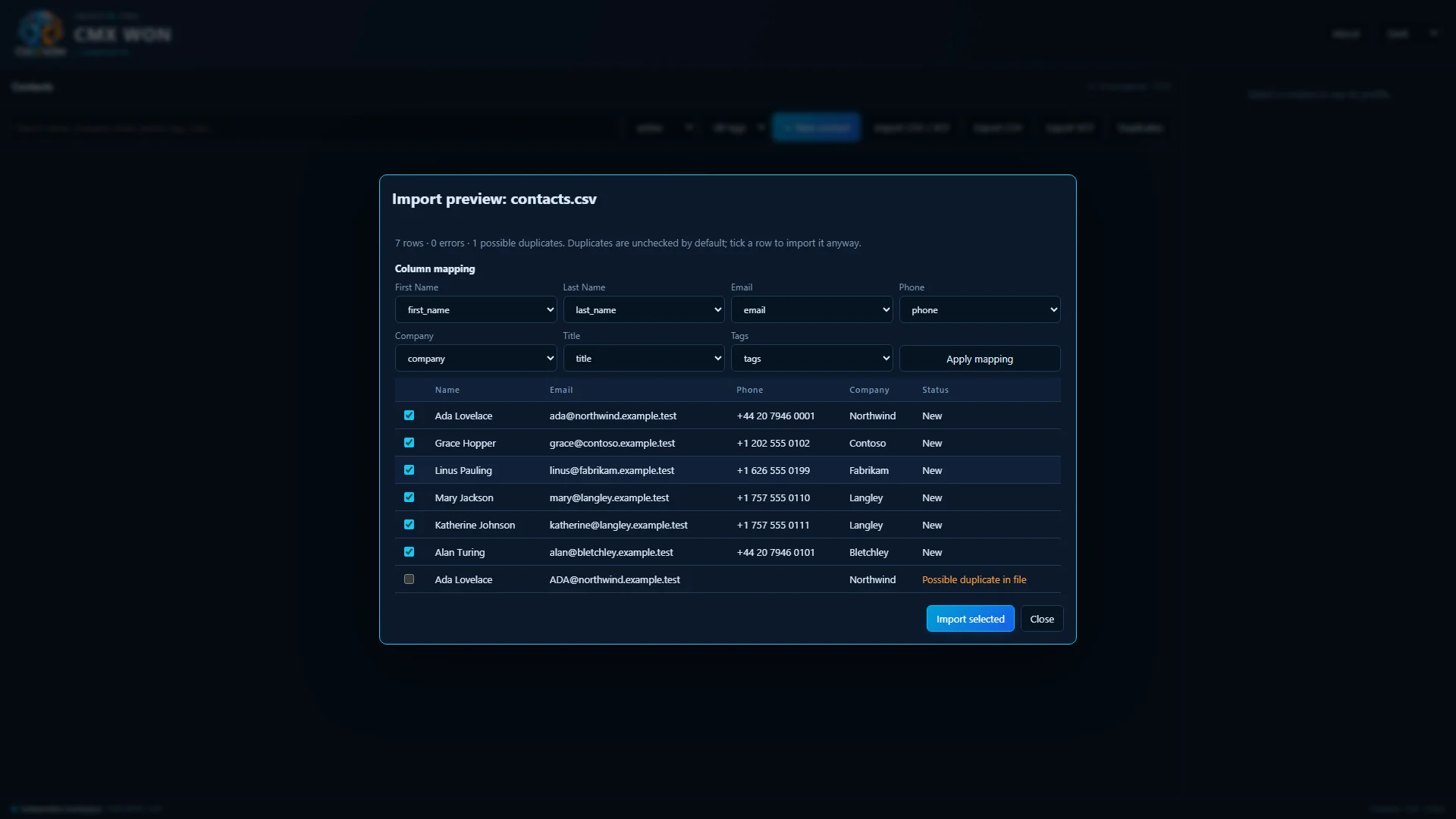
Bring in CSV spreadsheets, with column mapping, or vCard files. You review a preview before anything is saved, and likely duplicates are held back until you decide. Up to 5,000 contacts per import.

Import preview of a CSV file with column mapping and a likely duplicate held back

Find duplicates and merge with confidence

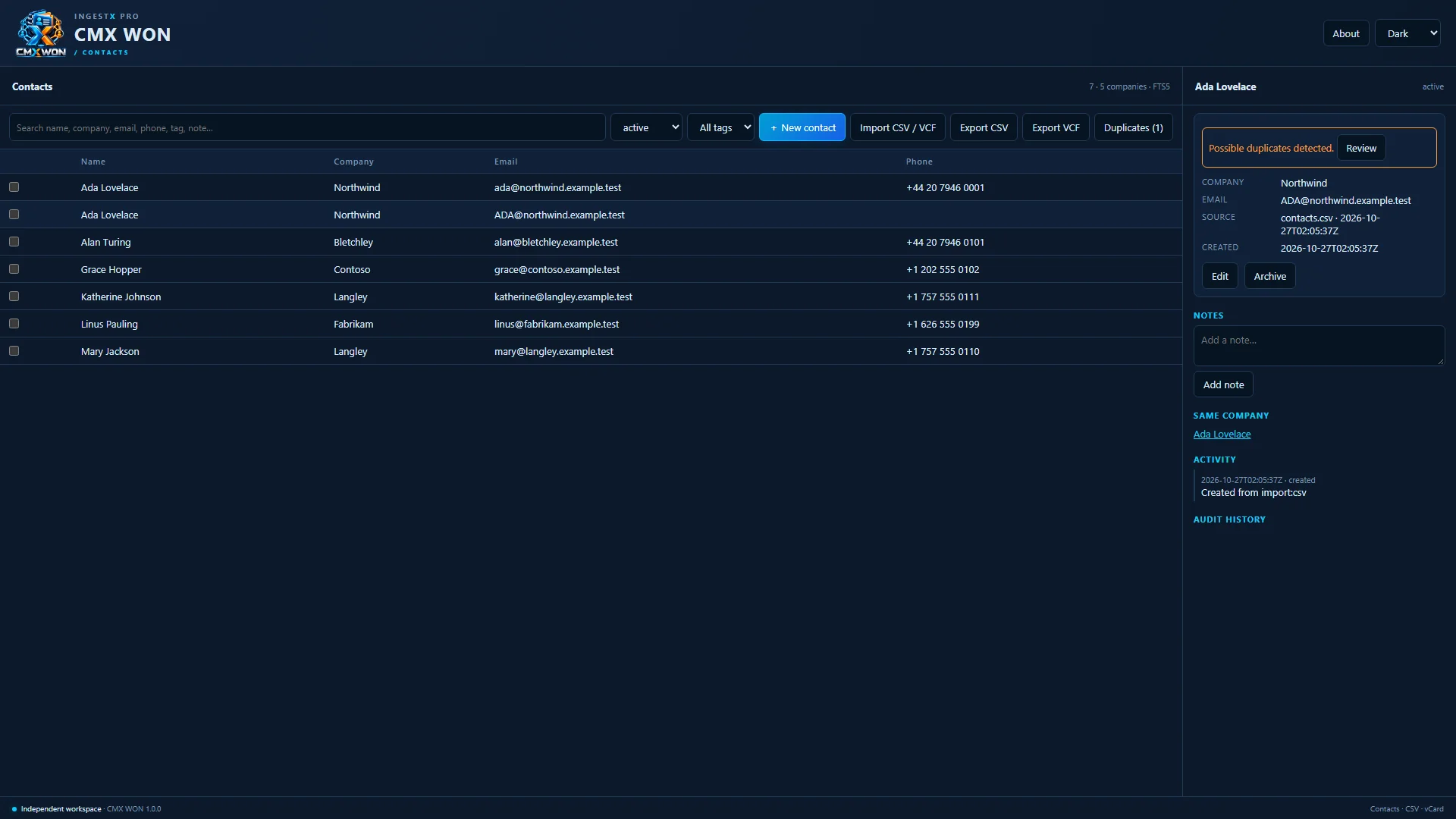
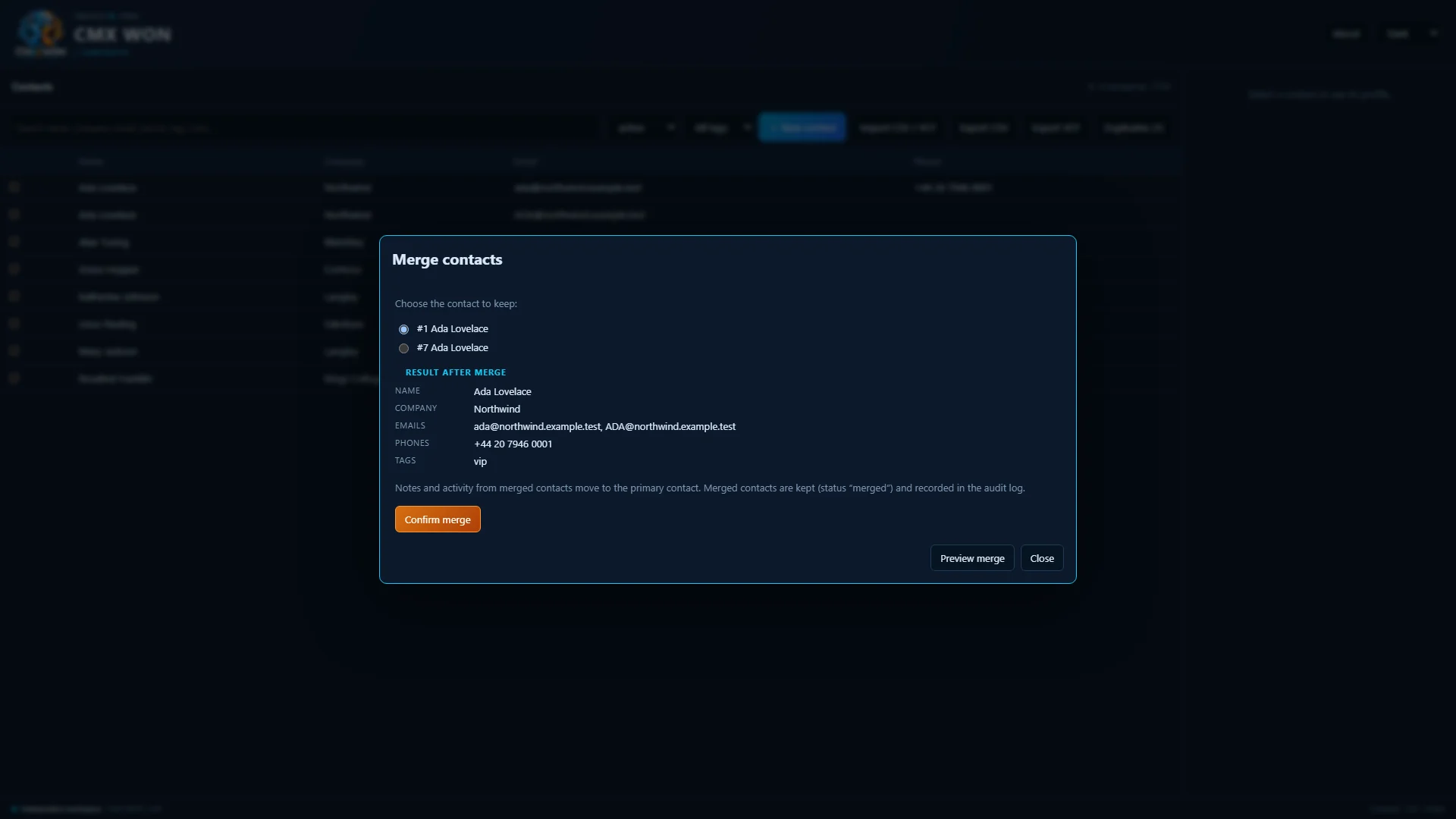
Duplicates are found by email, phone and name. Merging shows the combined result first and waits for your confirmation; merged contacts are recorded, not silently lost.

Merge preview showing which contact to keep and the merged result before confirmation

Notes, activity and a history of every change

Add notes to any contact and see its activity and a full audit history. Archive and restore contacts, and delete only with confirmation.

Contact profile with notes, activity and audit history

Search everything instantly

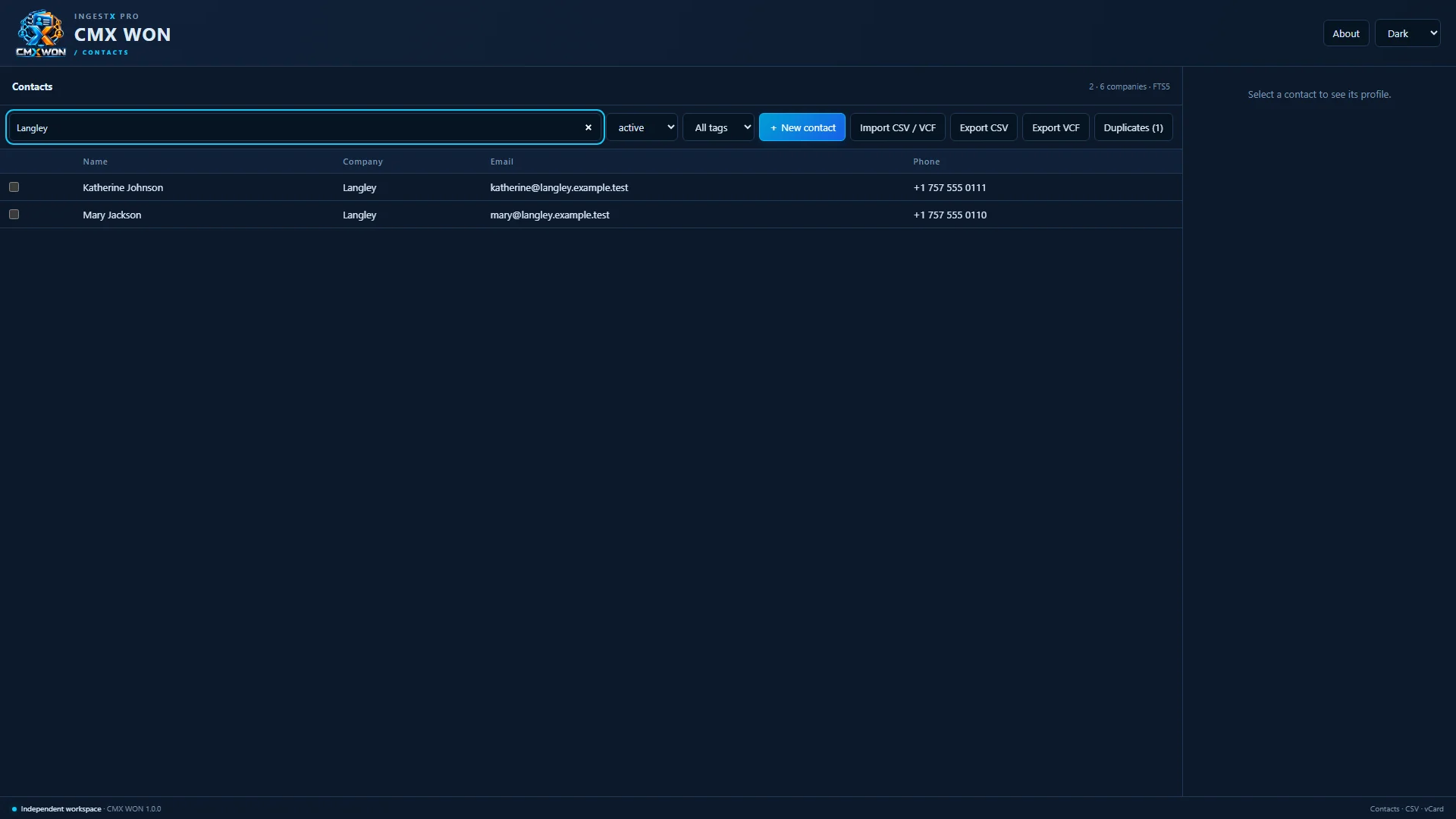
Full-text search across names, companies, emails, phones, tags and notes, ignoring accents.

Contacts filtered by a search for a company name

Works with DBX WON

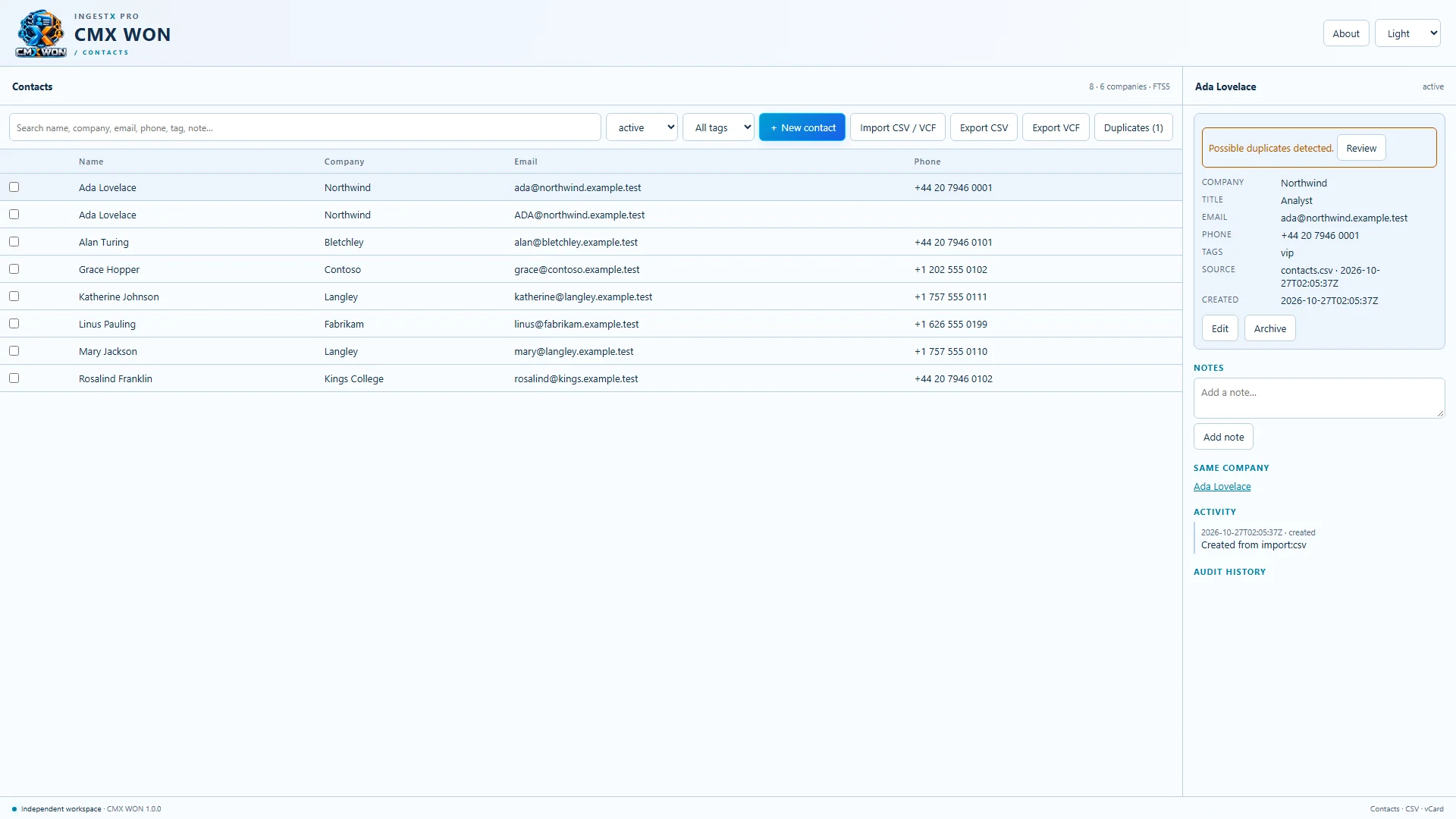
CMX WON and DBX WON share the same contacts on your PC, and both can run at the same time. Export to CSV or vCard whenever you like.

CMX WON in the light theme with the contact list and a profile

Demo

See it in action

The official trailer, recorded from the Windows application.

CMX WON official trailer · 1:01 · Playback starts only when you press play.

Specifications

Requirements and licensing

Operating system
Windows 10 version 2004 (build 19041) or later, x64. Tested on Windows 10 22H2.
Browser engine
Microsoft Edge (included with Windows 10 and 11) displays the app window
Import
CSV (with column mapping) and vCard · up to 5,000 contacts per import
Export
CSV and vCard
Shared data
Shares contacts with DBX WON on the same PC
Connectivity
Works offline with no account. Purchase, installation and updates through the Microsoft Store need an internet connection.
Installation
Microsoft Store (MSIX package)
Themes
Dark, Light and System
License
$29.99 USD one-time purchase · perpetual license
Version
1.0.0

FAQ

Frequently asked questions

What does CMX WON do?

It is a private contact manager for Windows. Import contacts from CSV or vCard files with a preview, find and merge duplicates with confirmation, search everything instantly, and keep notes and a full history for every contact.

Where are my contacts stored?

On your PC, in your Windows user profile. CMX WON has no account and no cloud, includes no analytics, and sends nothing to Galaxy D2C. The app window is displayed by Microsoft Edge, which may contact Microsoft for its own services such as updates. See the privacy policy.

Can I import my existing contacts?

Yes. Import CSV files, mapping your columns to contact fields, or vCard (.vcf) files, up to 5,000 contacts per import. Nothing is saved until you confirm the preview, and likely duplicates are held back for your decision.

How are duplicates handled?

CMX WON finds likely duplicates by email, phone and name. When you merge, you choose which contact to keep and see the result before confirming. Merged contacts are recorded in the history.

How does it relate to DBX WON?

CMX WON is the contact manager that is also built into DBX WON, sold as its own app. If you use both on the same PC, they share the same contacts and can run at the same time.

Does it sync with my CRM or phone?

No. CMX WON has no live connections to CRM systems, phones or online services. Export from them as CSV or vCard and import the file.

Will it run on my PC?

It needs 64-bit Windows 10 version 2004 or later and Microsoft Edge, which is included with Windows. It has been tested on Windows 10 22H2.

How is it licensed?

$29.99 USD, one time, for a perpetual license. There is no subscription, trial or add-on. It is sold through the Microsoft Store and licensed under the CMX WON End-User License Agreement.

How do I get support?

Email support@galaxyd2c.com with your Windows version and the CMX WON version shown under About.