Galaxy D2C / InGestX family

IGX Knowledge Memory Core

Evidence before answers.

Index your documents on your own Windows PC, search them in full text, and get every result back with the file, the exact line or page, and a SHA-256 fingerprint of the source. Nothing is uploaded.

$79.99

USD · one-time purchase · perpetual license · no subscription

Coming to the Microsoft Store. This page will link to the listing as soon as it is public.

Windows 10 / 11 x64 · Local processing · Works offline

IGX Knowledge Memory Core / Windowsv1.0.0
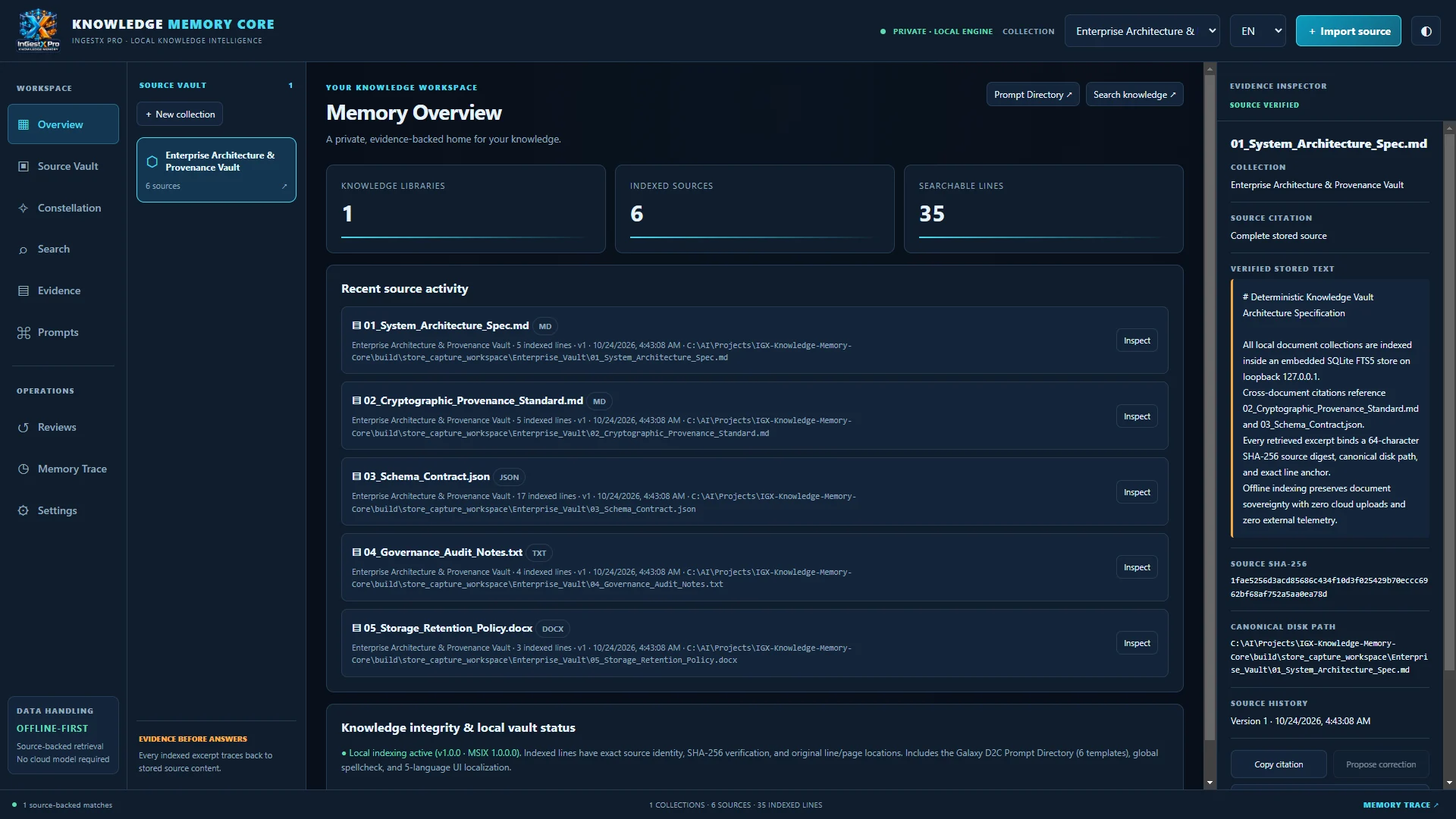
Actual IGX Knowledge Memory Core window: Memory Overview with a sample collection of six indexed documents and the Evidence Inspector
Actual application · v1.0.0 · Sample documents shown

What it is

A searchable memory for the documents you already have.

Specifications, research notes, policies, contracts and project records pile up across folders until the one line you need is impossible to find, or impossible to prove. IGX Knowledge Memory Core indexes those files into a full-text database on your PC and answers a search with the passages themselves, each tied to its source.

It is built for people who must be able to show where an answer came from: analysts, researchers, engineers, consultants, studios and small teams that keep their working knowledge on their own machines. There is no AI-written summary standing between you and the text, only the text, its location and its fingerprint.
Features

What you can do with it

Memory Overview

See your knowledge libraries, indexed sources and searchable lines at a glance, with recent source activity one click from inspection.

Memory Overview: counts of knowledge libraries, indexed sources and searchable lines, with a list of recent source activity

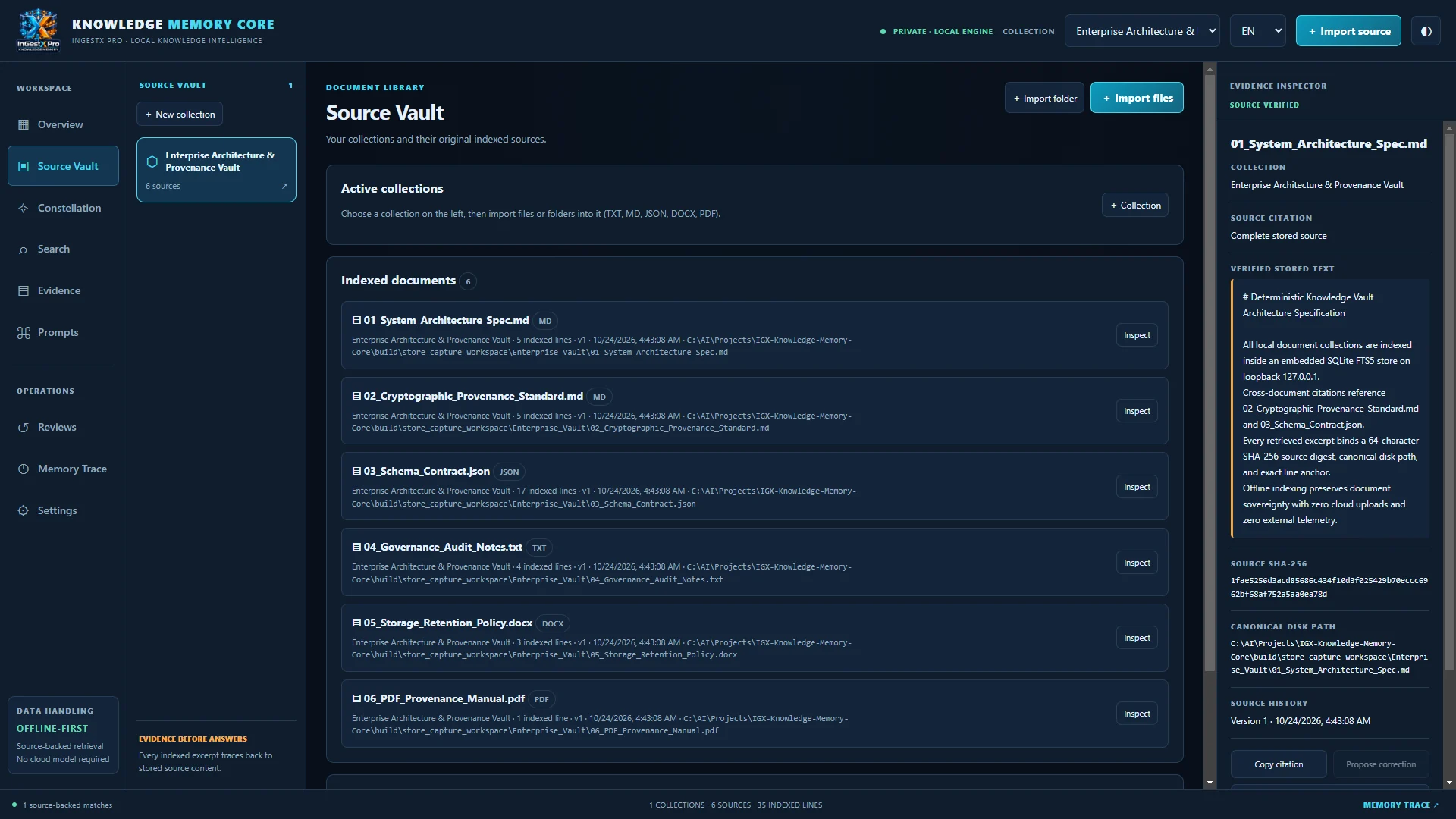
Source Vault

Organize documents into collections. Import single files or whole folders. Re-importing a changed file creates a new version and keeps the earlier one for line-by-line comparison. Removing a source removes its index entries, never your original file.

Source Vault listing indexed Markdown, JSON, TXT, DOCX and PDF documents in a collection, with the Evidence Inspector open

Full-text search with citations

Search one collection or all of them with SQLite FTS5 ranking. Every result shows the file, the exact line or page, and the file's SHA-256 digest, and opens in the Evidence Inspector with the stored text and version history.

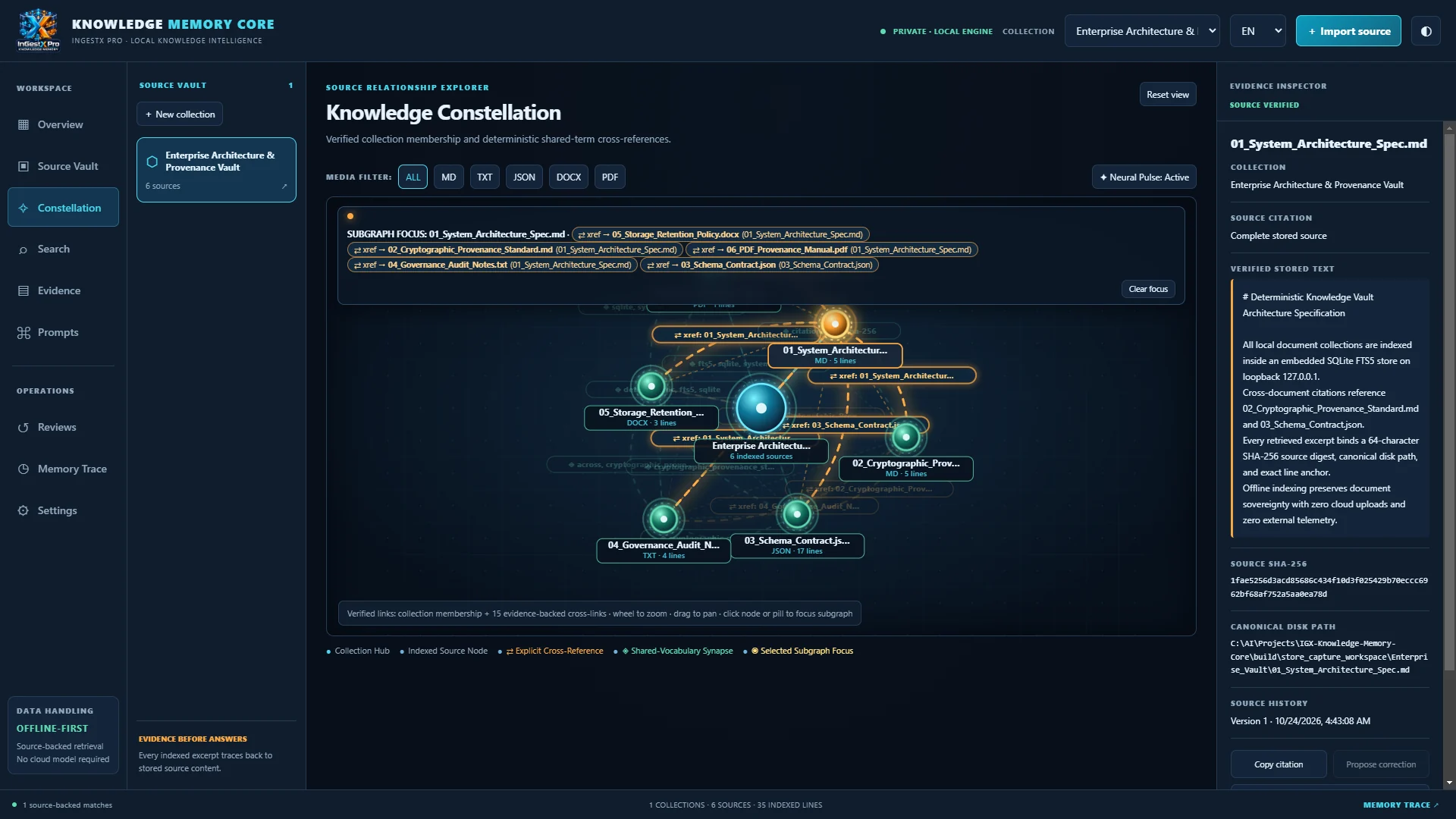
Evidence Inspector beside the Knowledge Constellation, showing a document's stored text, SHA-256 digest, disk path and version history

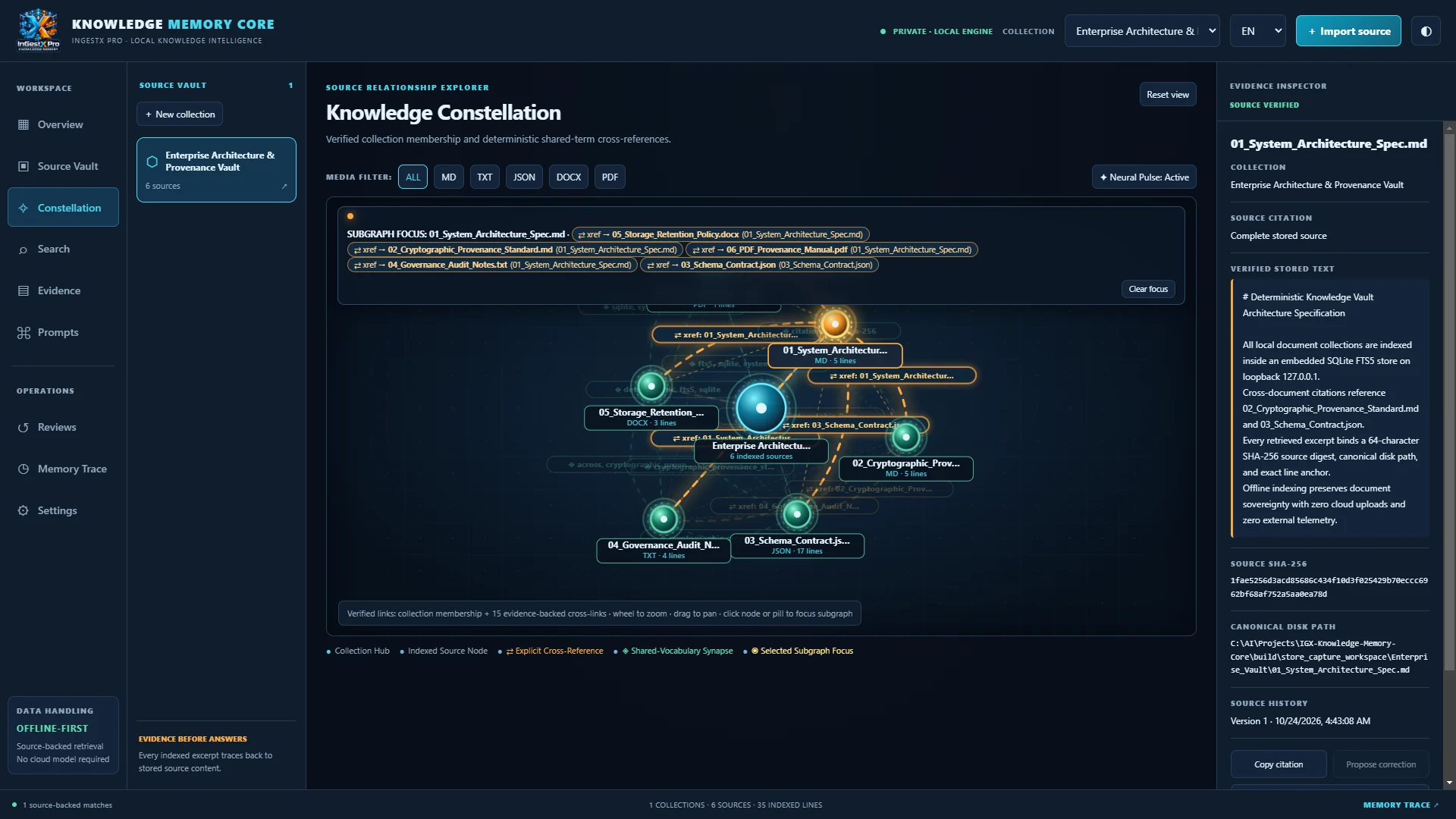
Knowledge Constellation

An interactive graph of your collection. Documents connect when one names another file or when they share vocabulary. Select a node to focus its connections, filter by format, zoom and pan, or switch on reduced motion.

Knowledge Constellation graph of six documents connected by cross-references and shared vocabulary, with format filters

Prompt Directory

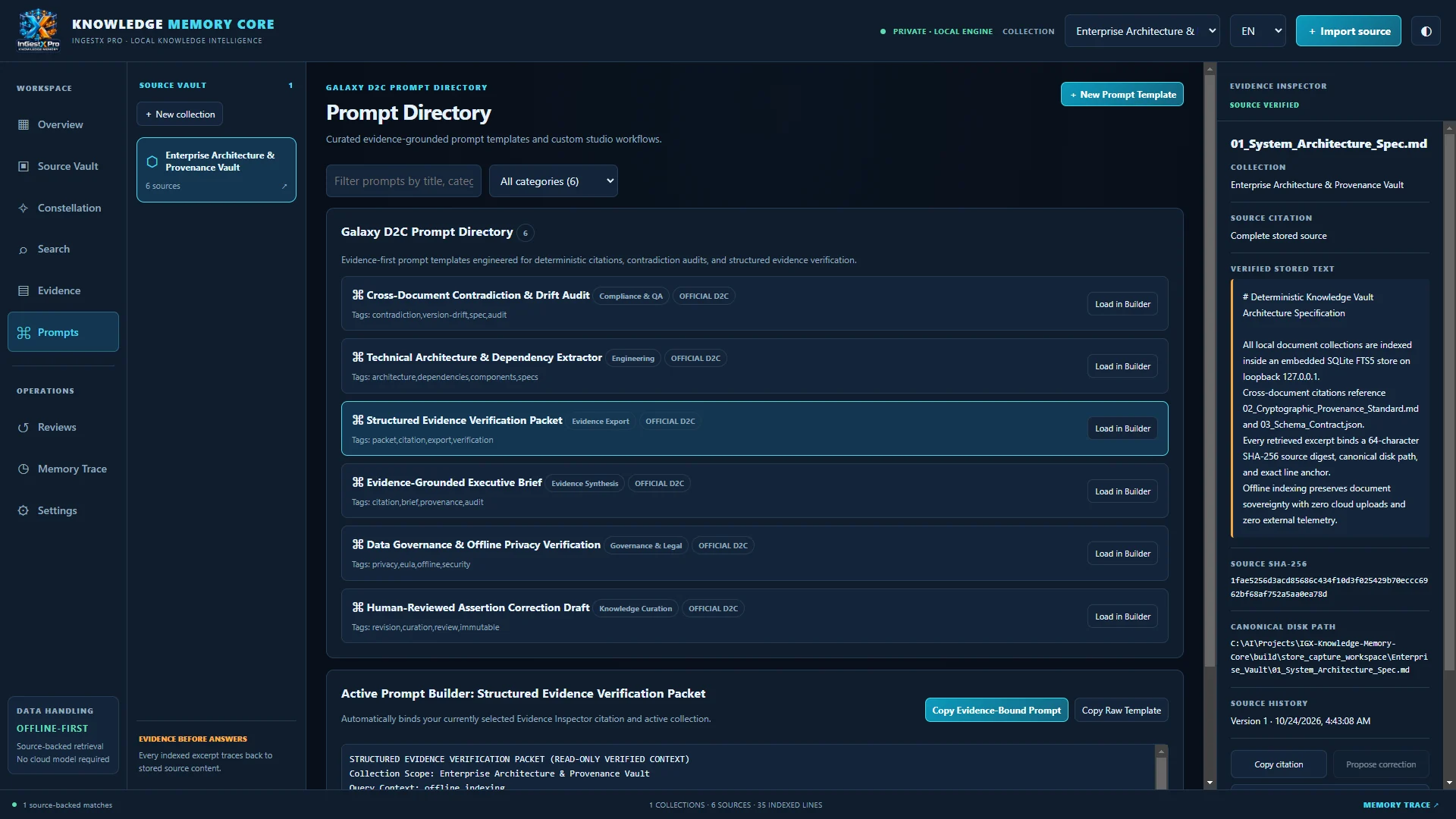
Six built-in prompt templates plus your own. The active citation, query and excerpt fill the template, so the prompt you copy carries its evidence with it.

Galaxy D2C Prompt Directory with six evidence-based prompt templates and the prompt builder

Reviews, revisions and Memory Trace

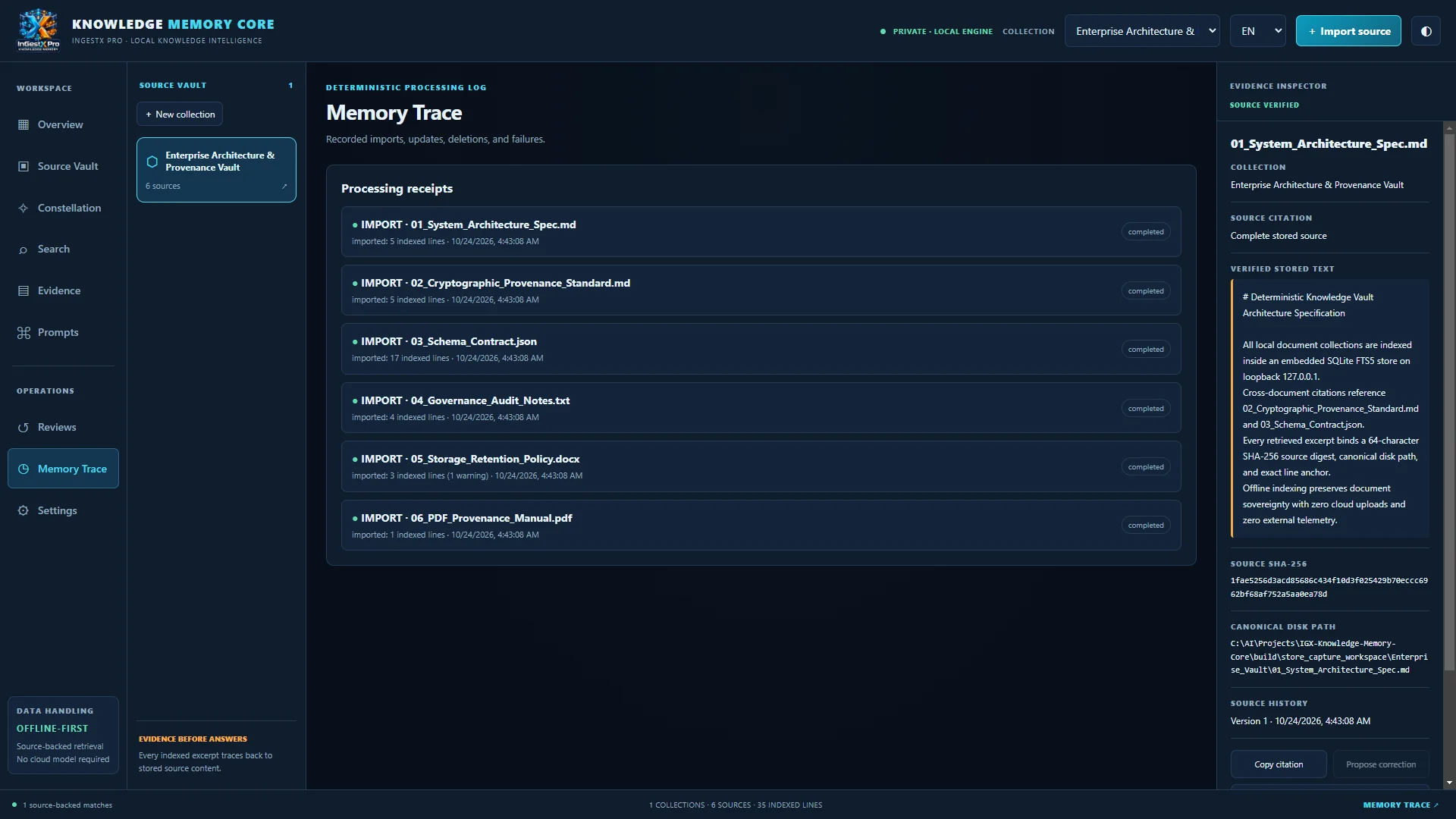
Propose, approve or reject corrections in an append-only review queue that never alters the source text. Memory Trace records imports, folder scans, duplicate skips, version updates and deletions.

Memory Trace audit log listing import, folder scan, duplicate skip and version update events

Demo

See it in action

The official trailer, recorded from the Windows application. Captions are available.

IGX Knowledge Memory Core official trailer · 1:08 · Playback starts only when you press play.

Specifications

Requirements and licensing

Operating system
Windows 10 version 2004 (build 19041) or later, or Windows 11
Architecture
x64 (64-bit). Not tested on ARM64 devices.
Memory
4 GB RAM minimum, 8 GB recommended. Measured footprint: about 120 MB while indexing and searching.
Processor
x64 dual-core minimum, quad-core recommended
Storage
500 MB free space: about 302 MB for the application, plus your index
Graphics and display
Integrated graphics; no dedicated GPU required. 1366 × 768 minimum, 1920 × 1080 recommended.
Connectivity
Indexing and search work without an internet connection. Purchase, installation and updates through the Microsoft Store need one.
Installation
Microsoft Store (MSIX package). The runtime and knowledge engine are included; nothing else to install.
File formats
.txt, .md, .json, .docx and .pdf with a text layer, up to 16 MB per file
Interface languages
English, Spanish, French, German and Japanese · dark and light themes
License
$79.99 USD one-time purchase · perpetual license
Version
1.0.0

FAQ

Frequently asked questions

What does IGX Knowledge Memory Core do?

It indexes the documents you choose into a local full-text database on your PC and lets you search them. Every result is tied to its source: the file, the exact line or page, and a SHA-256 digest of the file. It also maps how your documents relate in the Knowledge Constellation and builds prompts that carry their citations.

How is my knowledge organized?

You create collections and import files or whole folders into them. When you re-import a changed file, the app stores a new version and keeps the earlier one so you can compare them line by line. Corrections go through a review queue and never overwrite the source text.

Do my files stay on my computer?

Yes. Indexing and search run in a local engine that accepts connections only from your own PC (127.0.0.1). Your documents, searches, prompts and review history are stored in a database on your device and are not sent to Galaxy D2C or anyone else. The app has no analytics or telemetry. The one network request the app can make on its own is the spell checker downloading a standard dictionary file when Windows does not supply one; that request contains none of your content. See the privacy policy for details.

Does it use AI or need an internet connection?

Search is deterministic full-text search; no AI model runs in the app and no cloud service is required. Indexing and search work offline. You need an internet connection to buy, install and update the app through the Microsoft Store. Prompts you build can be copied into the AI tool of your choice.

Which files can it read?

Text (.txt), Markdown (.md), JSON (.json), Word (.docx) and PDF files with a text layer, up to 16 MB each. Scanned PDFs without a text layer need optical character recognition (OCR) before import.

Will it run on my PC?

It needs 64-bit (x64) Windows 10 version 2004 or later, or Windows 11. It has not been tested on ARM64 devices. The app uses about 120 MB of memory and runs on integrated graphics.

How is it licensed?

$79.99 USD, one time, for a perpetual license. There is no subscription. It is sold through the Microsoft Store and licensed under the IGX Knowledge Memory Core End-User License Agreement.

How do updates work?

Updates are delivered through the Microsoft Store. Your local knowledge database is kept when the app updates.

How do I get support?

Email support@galaxyd2c.com with your Windows version and the app version. The app never sends diagnostic data on its own, so you decide what to share.

How does it relate to InGestX Pro?

Both are Galaxy D2C desktop products in the InGestX family. InGestX Pro ingests and converts files, websites and repositories into structured output. IGX Knowledge Memory Core indexes your documents and retrieves them with citations. It is a separate product: it runs on its own, does not require InGestX Pro, and is sold separately. In Windows, the installed app is named “InGestX Pro Knowledge Memory Core”.